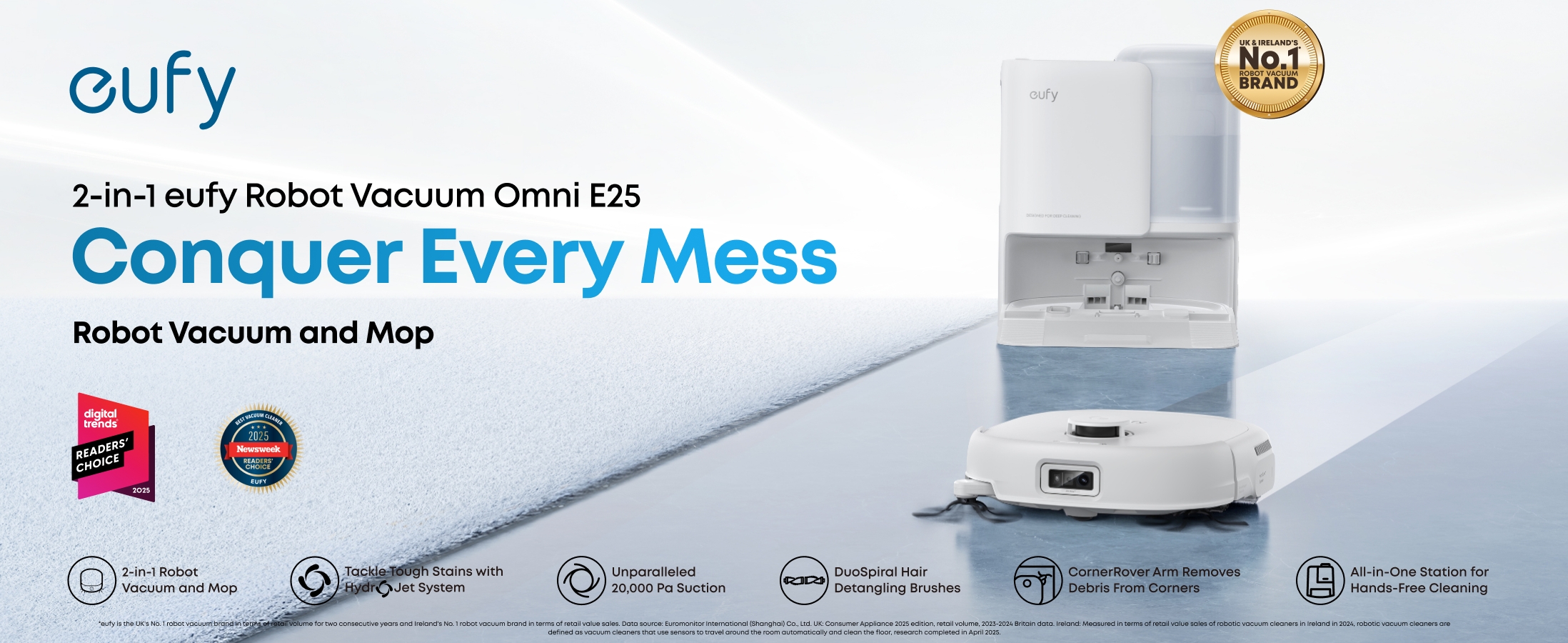
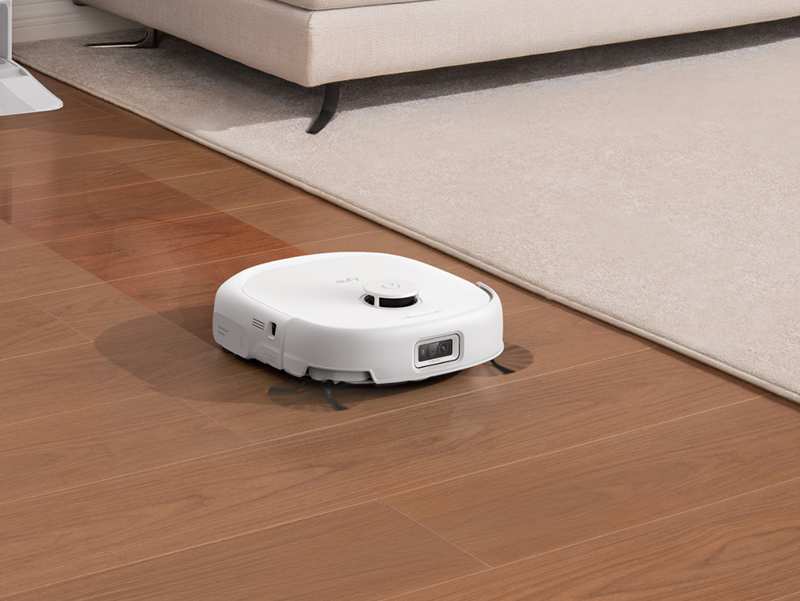
eufy Omni White E25 Robot Vacuum & Mop with All-in-One Station

 eufy Robot Vacuum Omni E25 White£849.00


- Fast, Free Shipping
- 30-Day Money-Back Guarantee
- Hassle-Free Warranty
- Lifetime Customer Support
Quick Intro
Learn More





Specs
Mopping
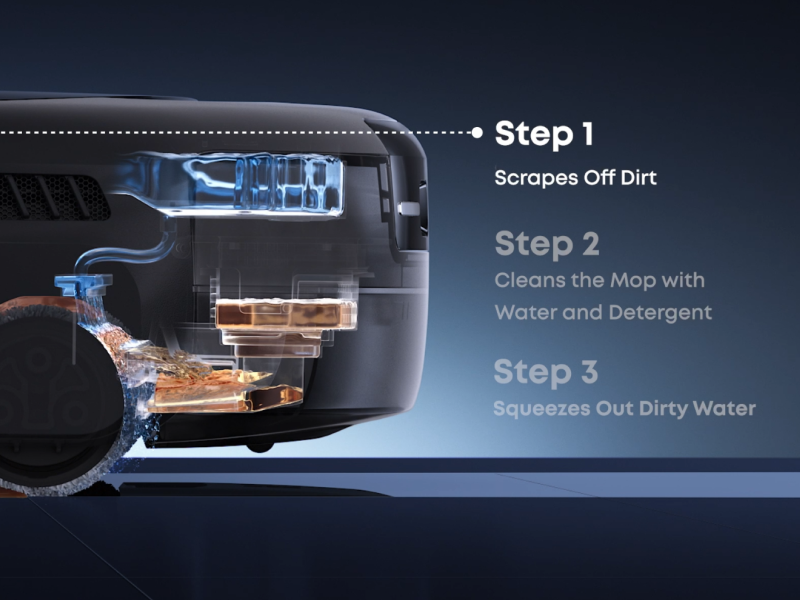
HydroJet™ Mopping System
Yes
Mop Type
Rolling Mop
Downward Pressure
15N / 1.5 kg
Rotations Per Minute
180 RPM
Dual Water Resevoir (Robot)
Clean Water Resevoir & Dirty Water Resevoir
Auto Waste Water Collection (Robot)
Yes
Vacuum
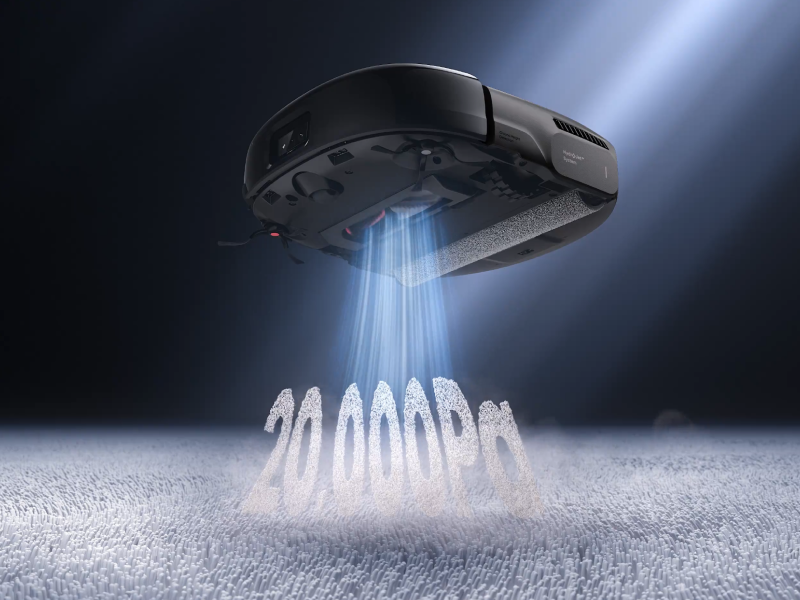
Suction Power
20,000 Pa
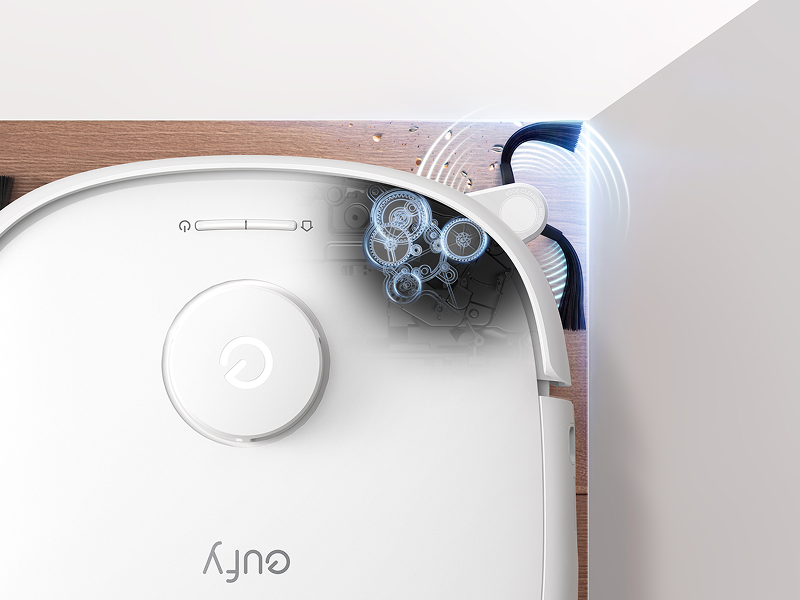
Side Brush
CornerRover™ Arm
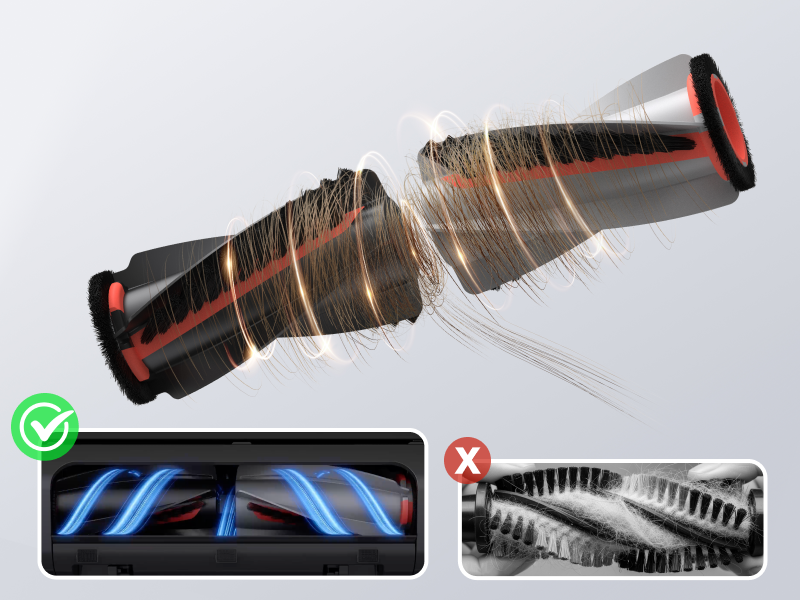
Detangling Brush
DuoSpiral™ Brushes
All-in-One Station
Self-Emptying
Yes
Self-Refilling
Yes
Self-Washing
Yes
Hot Air Drying
Yes
Wastewater Collection
Yes
Automatic Detergent Dispensing
Yes
Dust Collection Capacity
3 L
Clean Water Tank Capacity
2.5 L
Dirty Water Tank Capacity
1.8 L
Station Dimensions
14.55 × 18.18 × 17.19 in
Robot Dimensions
12.83 × 13.72 × 4.40 in
Intelligence
Obstacle Avoidance
RGB Camera + LED
Navigation Type
LiDAR
App Control
✅
Bluetooth
✅
Wi-Fi
✅
FAQ
How to ensure Omni E25's cleaning performance?
Suction&Empty Frequency:If you have pets or children at home, it is recommended to use Turbo or Max suction mode and adjust the empty frequency to 15 min or 30 min via the eufy Clean app for a better cleaning performance.
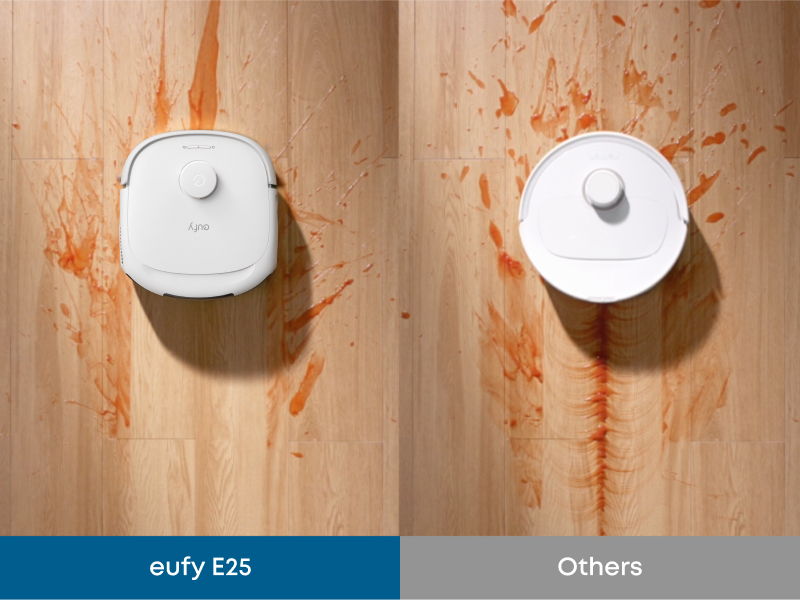
Dirty Spot Cleaning: Enable the "Dirty Spot Cleaning" feature, the robot will detect stains like coffee spills and perform deep precision mopping. (Note: In vacuum-only mode, it will automatically switch to vacuum and mopping mode upon detecting dirt.)
Dirt Inspection: Enable the Dirt Inspection feature, the robot will auto-inspect the room after completing a full house cleaning to ensure no stains are left behind.
Accessories Maintenance:For optimal performance, robot accessories(especially the roller) need to be cleaned and replaced regularly.
Keep Software Updated: Regularly update the software and firmware to the latest version to ensure optimal performance and access to new features.
How to ensure Omni E25's mopping performance?
If your home hasn't been deeply cleaned recently, the first time you use E25 may result in visible mopping streaks as it dislodges thick dust from under furniture. This is normal and will be reduced by multiple cleaning. Tips:
Use eufy’s official cleaning solution (Floor Cleaner) and enable the automatic cleaning solution dispenser.
Vacuum-only Mode: Before the first mopping session with your E25, use the vacuum-only mode to remove dust and hair via the eufy Clean app.
Adjust Water Level: Adjust the appropriate water level in the app based on the floor type for more effective mopping. For stubborn stains, select the area and choose to mop it twice.
Dirty Spot Cleaning: Enable the Dirty Spot Cleaning feature, the robot vacuum will detect stains like coffee spills and perform deep precision mopping.
Dirt Inspection: Enable the Dirt Inspection feature, the robot will auto-inspect the room after completing a full house cleaning to ensure no stains are left behind.
Accessory Maintenance: Clean the roller mop and dirty water tank regularly to maintain optimal results.
Keep Software Updated: Regularly update the software and firmware to the latest version to ensure optimal performance and access to new features.
How to improve the Omni E25 carpet cleaning performance?
Carpet cleaning Mode: For short-pile carpets: Use the "Vacuum Only" mode. The device will automatically raise its mopping module to vacuum without mopping when detecting carpets to avoid wetting the carpet.
For medium- and long-pile carpets: Select the "Carpet Avoidance" mode. The device will avoid carpets entirely and skip cleaning them upon detection.
Note: Please note that dark carpets may not be detectable. Please set up a No-Go Zone.
Boost IQ: Enable the Boost IQ feature via the app, the robot will auto-increase the suction power when it directs the carpets to improve better cleaning performance.
Keep Software Updated: Regularly update the software and firmware to the latest version to ensure optimal performance and access to new features.
How to ensure the Omni E25 obstacle avoidance effect?
AI.See Settings: Enable this feature to allow the robot to use AI algorithms for local object recognition and active obstacle avoidance during cleaning tasks. The robot's smart obstacle recognition and avoidance capabilities will continuously improve over time.
Clear the Floor: Remove wires or other small-sized obstacles to prevent the vacuum from getting stuck.
Set No-Go Zones: For areas like dark-colored stairs, walls, furniture, thin chair legs, furniture bottoms lower than 116mm, and carpets thicker than 26mm, set up no-go zones to avoid the robot getting stuck and to maintain cleaning performance.
Secure Carpet Edges: Fix the edges of thin carpets to prevent entanglement and ensure smooth operation.
Avoidance of Dark or Reflective Surfaces: Remove black or highly reflective objects near thresholds to prevent confusion in E25’s navigation system.
Keep Software Updated: Regularly update the software and firmware to the latest version to ensure optimal performance and access to new features.
How to ensure the Omin E25 can clean your whole house in single cleaning?
Collect Small Objects: Collect cords and other small-sized obstacles before using the Omin E25 to avoid it getting stuck.
Customizable No-Go Zones: For carpets with a height exceeding 26mm, or those that are particularly light and thin, create no-go zones within the app. This prevents the robot from getting trapped or tangled.
Carpet Edge Management: If your carpet edges tend to curl, flatten or secure them to ensure smooth navigation for Omin E25.
Auto-return Cleaning: If your home has a large area, please enable the auto-return cleaning function via the app.
Firmware Upgrade: Keep an eye on new firmware updates in the app and upgrade for better performance.
Products Comparison

Robot: 12.83 × 13.72 × 4.40 in
Station:14.55 × 18.18 × 17.19 in
Vacuum: 216 min (Standard)

Robot: 12.83 × 13.72 × 4.40 in
Station:14.63 × 19.07 × 17.29 in
Vacuum: 216 min (Standard)

Robot:12.8 × 13.90 × 4.47 in
Station:14.41 × 18.90 × 18.11 in
Vacuum:173 min (Standard)

Robot:12.79 × 13.66 × 3.78 in
Station:15.08 × 18.39 × 26.38 in
Vacuum:216 min (Standard)
Specs
Mopping
HydroJet™ Mopping System
Yes
Mop Type
Rolling Mop
Downward Pressure
15N / 1.5 kg
Rotations Per Minute
180 RPM
Dual Water Resevoir (Robot)
Clean Water Resevoir & Dirty Water Resevoir
Auto Waste Water Collection (Robot)
Yes
Vacuum
Suction Power
20,000 Pa
Side Brush
CornerRover™ Arm
Detangling Brush
DuoSpiral™ Brushes
All-in-One Station
Self-Emptying
Yes
Self-Refilling
Yes
Self-Washing
Yes
Hot Air Drying
Yes
Wastewater Collection
Yes
Automatic Detergent Dispensing
Yes
Dust Collection Capacity
3 L
Clean Water Tank Capacity
2.5 L
Dirty Water Tank Capacity
1.8 L
Station Dimensions
14.55 × 18.18 × 17.19 in
Robot Dimensions
12.83 × 13.72 × 4.40 in
Intelligence
Obstacle Avoidance
RGB Camera + LED
Navigation Type
LiDAR
App Control
✅
Bluetooth
✅
Wi-Fi
✅
FAQ
How to ensure Omni E25's cleaning performance?
Suction&Empty Frequency:If you have pets or children at home, it is recommended to use Turbo or Max suction mode and adjust the empty frequency to 15 min or 30 min via the eufy Clean app for a better cleaning performance.
Dirty Spot Cleaning: Enable the "Dirty Spot Cleaning" feature, the robot will detect stains like coffee spills and perform deep precision mopping. (Note: In vacuum-only mode, it will automatically switch to vacuum and mopping mode upon detecting dirt.)
Dirt Inspection: Enable the Dirt Inspection feature, the robot will auto-inspect the room after completing a full house cleaning to ensure no stains are left behind.
Accessories Maintenance:For optimal performance, robot accessories(especially the roller) need to be cleaned and replaced regularly.
Keep Software Updated: Regularly update the software and firmware to the latest version to ensure optimal performance and access to new features.
How to ensure Omni E25's mopping performance?
If your home hasn't been deeply cleaned recently, the first time you use E25 may result in visible mopping streaks as it dislodges thick dust from under furniture. This is normal and will be reduced by multiple cleaning. Tips:
Use eufy’s official cleaning solution (Floor Cleaner) and enable the automatic cleaning solution dispenser.
Vacuum-only Mode: Before the first mopping session with your E25, use the vacuum-only mode to remove dust and hair via the eufy Clean app.
Adjust Water Level: Adjust the appropriate water level in the app based on the floor type for more effective mopping. For stubborn stains, select the area and choose to mop it twice.
Dirty Spot Cleaning: Enable the Dirty Spot Cleaning feature, the robot vacuum will detect stains like coffee spills and perform deep precision mopping.
Dirt Inspection: Enable the Dirt Inspection feature, the robot will auto-inspect the room after completing a full house cleaning to ensure no stains are left behind.
Accessory Maintenance: Clean the roller mop and dirty water tank regularly to maintain optimal results.
Keep Software Updated: Regularly update the software and firmware to the latest version to ensure optimal performance and access to new features.
How to improve the Omni E25 carpet cleaning performance?
Carpet cleaning Mode: For short-pile carpets: Use the "Vacuum Only" mode. The device will automatically raise its mopping module to vacuum without mopping when detecting carpets to avoid wetting the carpet.
For medium- and long-pile carpets: Select the "Carpet Avoidance" mode. The device will avoid carpets entirely and skip cleaning them upon detection.
Note: Please note that dark carpets may not be detectable. Please set up a No-Go Zone.
Boost IQ: Enable the Boost IQ feature via the app, the robot will auto-increase the suction power when it directs the carpets to improve better cleaning performance.
Keep Software Updated: Regularly update the software and firmware to the latest version to ensure optimal performance and access to new features.
How to ensure the Omni E25 obstacle avoidance effect?
AI.See Settings: Enable this feature to allow the robot to use AI algorithms for local object recognition and active obstacle avoidance during cleaning tasks. The robot's smart obstacle recognition and avoidance capabilities will continuously improve over time.
Clear the Floor: Remove wires or other small-sized obstacles to prevent the vacuum from getting stuck.
Set No-Go Zones: For areas like dark-colored stairs, walls, furniture, thin chair legs, furniture bottoms lower than 116mm, and carpets thicker than 26mm, set up no-go zones to avoid the robot getting stuck and to maintain cleaning performance.
Secure Carpet Edges: Fix the edges of thin carpets to prevent entanglement and ensure smooth operation.
Avoidance of Dark or Reflective Surfaces: Remove black or highly reflective objects near thresholds to prevent confusion in E25’s navigation system.
Keep Software Updated: Regularly update the software and firmware to the latest version to ensure optimal performance and access to new features.
How to ensure the Omin E25 can clean your whole house in single cleaning?
Collect Small Objects: Collect cords and other small-sized obstacles before using the Omin E25 to avoid it getting stuck.
Customizable No-Go Zones: For carpets with a height exceeding 26mm, or those that are particularly light and thin, create no-go zones within the app. This prevents the robot from getting trapped or tangled.
Carpet Edge Management: If your carpet edges tend to curl, flatten or secure them to ensure smooth navigation for Omin E25.
Auto-return Cleaning: If your home has a large area, please enable the auto-return cleaning function via the app.
Firmware Upgrade: Keep an eye on new firmware updates in the app and upgrade for better performance.
How To Video


