RoboVac 30C MAX

- All-New RoboVac: Re-engineered to boast our strongest ever suction power (2000Pa Max) while maintaining quiet operation and a super-slim design (2.85”).
- Wi-Fi Convenience: The eufy Clean app, Alexa and the Google Assistant voice control-services let you accomplish your vacuuming needs with zero effort from you.
- BoostIQ Technology: Automatically increases suction power within 1.5 seconds when extra vacuuming strength is needed—so you get the best clean.
- Set Boundary Strips: RoboVac uses specialized dual-Hall Sensors to detect the Boundary Strips you set, ensuring it only cleans the areas required.
- What You Get: RoboVac 30C MAX, 13.2 ft Boundary Strips, remote control (2 AAA batteries included), charging base, AC power adapter, cleaning tool, extra set of high-performance filters, 4 side brushes, 5 cable ties, welcome guide, and our worry-free 12-month warranty.


- Fast, Free Shipping
- 30-Day Money-Back Guarantee
- Hassle-Free Warranty
- Lifetime Customer Support
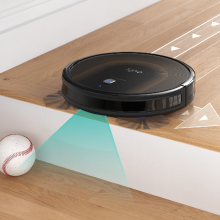
Knows Your Home
With over 10 built-in infrared sensors and Drop-Sensing Technology, Robovac is constantly aware of its surroundings.
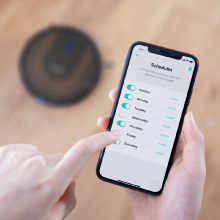
Routine Cleaning
Customize a cleaning schedule that suits you. Simply set RoboVac to clean any time, any day, all via your phone. Select multiple days and ensure your floors are always spotless.
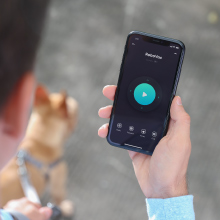
Remote Control
Control RoboVac’s exact movements via the app so you never miss a speck!
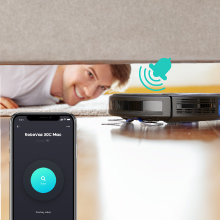
Just Follow the Sound
If RoboVac gets stuck or is playing hide-and-seek, just tap the Find My Robot button in the eufy Clean app to find it without effort.

Minimum Hassle, Maximum Convenience
The redesigned Unibody Filter increases efficiency and lasts longer which means less fuss for you.
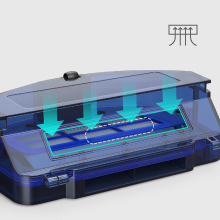
Holds More
The larger, upgraded inlet allows RoboVac to handle more dust, fluff and hair with ease. The increased capacity means less maintenance for you.
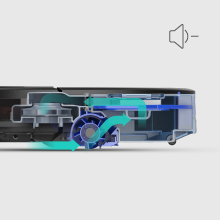
Disturbs Dust Not People
Advanced brushless motor significantly reduces vacuuming noise.
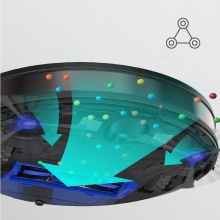
3-Point Cleaning System
Three brushes and strong suction power effectively loosen, extract, and vacuum dirt to give a superior clean.
Model:T2130
RoboVac 30C Max
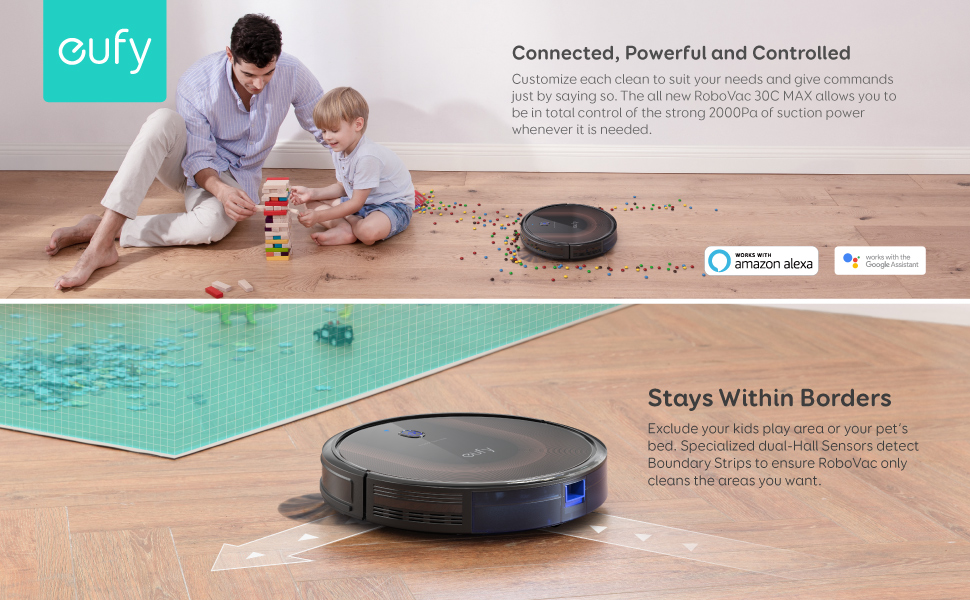
Connected, Powerful and Controlled
Complete Control
Alexa and the Google Assistant connectivity - Simply ask and RoboVac will take care of the cleaning while you sit back and relax.
Use the app to set RoboVac to clean, regardless of where you are!
Eliminate Vacuuming Chores
RoboVac takes on dust-busting around your home so you don’t have to. Multiple cleaning modes and auto-clean scheduling ensure an effortless, thorough clean while you relax.
Lean, Mean, Cleaning Machine
2000Pa of suction power ensures your home is clear of dirt, dust, and crumbs. RoboVac may be super-slim, but it’s packed with a 3-point cleaning system consisting of a suction inlet, rolling-brush, and side-brush to deliver meticulous cleaning.
Knows Where to Clean
There are certain areas within your home, such as your kid's play area or your pet’s bed that you want RoboVac to avoid. Set Boundary Strips to create no-go-zones.
Cleans While You Relax
Refined from the inside out to provide quiet vacuuming with zero hassle. RoboVac cleans with the equivalent volume of a microwave and is only 2.85” tall.
More Dust, Less Fuss
A large 0.6L dustbin allows RoboVac to pick up more dirt and dust to make the most of 100 minutes** of continuous cleaning.
Premium Components
The anti-scratch tempered glass cover provides a sleek look and superior protection for RoboVac, while the unibody filter achieves a better clean for your home.
For Optimal Use:
- Use on low- to medium-pile carpets, tile, laminated, and hardwood floors. Not suitable for high-pile carpet or very dark-colored floors.
- Move cables out of the way or use the cable ties provided to avoid tangling.
Note:
**Standard suction mode (hardwood floors) approx. 100 mins of cleaning. BoostIQ mode (carpeting) approx. 60 mins of cleaning. Max suction mode on medium-pile carpets approx. 40 mins of cleaning.
Make sure you are using a 2.4GHz router or a dual-band router that is configured to support a 2.4GHz frequency band. RoboVac doesn’t support 5GHz frequency band.
The use of Bounce Navigation means that RoboVac will follow a random path when cleaning. This method is still proven to cover an entire room over time.
For Optimal Use:
- Use on low- to medium-pile carpets, tile, laminated, and hardwood floors. Not suitable for high-pile carpet or very dark-colored floors.
- Move cables out of the way to avoid tangling. 5 cable ties are provided in the package to help you better organize wires and power cords.
Note:
*Compared to previous eufy RoboVac models.
**Standard suction mode (hardwood floors) provides approx. 100 mins of cleaning. BoostIQ mode (carpeting) provides approx. 60 mins of cleaning.
Max suction mode on medium-pile carpets provides approx. 40 mins of cleaning.
Product Comparison
✓
2000 Pa
2nd Gen
0.6L
55dB
2.85 in
-
13.2ft
Hard Floors to Medium-Pile Carpets
✓
1500 Pa
2nd Gen
0.6L
55dB
2.85 in
-
13.2ft
Hard Floors to Medium-Pile Carpets
✓
2000 Pa
2nd Gen
0.6L
55dB
2.85 in
Bounce Navigation
-
Hard Floors to Medium-Pile Carpets
-
2000 Pa
2nd Gen
0.6L
55dB
2.85 in
Bounce Navigation
-
Hard Floors to Medium-Pile Carpets
-
1300 Pa
2nd Gen
0.6L
55dB
2.85 in
Bounce Navigation
-
Hard Floors to Medium-Pile Carpets
-
1500 Pa
2nd Gen
0.6L
55dB
2.85 in
Bounce Navigation
13.2ft
Hard Floors to Medium-Pile Carpets
FAQ
What voltage is RoboVac rated for? Does RoboVac come with a charger that is compatible with my region?
RoboVac works with voltages from 100 - 240V; a charger for the region is included. If you want to use your RoboVac in other countries, you will need to use a plug adapter.
Which Wi-Fi networks does RoboVac support?
Supported Wi-Fi networks:
- IEEE 802.11b (Not recommended)
- IEEE 802.11g
- IEEE 802.11n (Support only for 2.4GHz)
RoboVac does not support 5GHz networks.
What should I do if I can't find my Wi-Fi network?
- Make sure you are within range of your Wi-Fi router.
- Make sure your Wi-Fi router is switched on.
- Make sure your smartphone is connected to your Wi-Fi router.
- If the SSID of your network is hidden, manually search for the hidden network you want to connect RoboVac to.
If these suggestions don't help, please contact us at support@eufylife.com for more assistance.
What should I do if I can't connect RoboVac to my Wi-Fi network?
1. Make sure the Wi-Fi network name or the password you entered is correct. If it is incorrect, please try again.
2. Check whether there are any Internet connection problems. If the Wi-Fi signal is too weak, reset your Wi-Fi router and try again.
3. If there are too many devices connected to your wireless router at once, disconnect a few devices and try again.
4. Check to see if the side switch on RoboVac is turned on (in the ""I"" position) and make sure your RoboVac operates normally.
5. If the issue persists, long-press the Auto cleaning on/off button for 10 seconds to reset RoboVac. After you hear one beep and see the Wi-Fi status light start to flash, follow the instructions in the eufy Clean app to set up the Wi-Fi connection.
If these suggestions don't help, please contact us at support@eufylife.com for more assistance.
What should I do if RoboVac is offline?
1. Make sure RoboVac's side switch is turned on (in the ""I"" position) and make sure your RoboVac is working correctly.
2. Please enter the eufy Clean app and wait for 5 seconds to see if RoboVac is back online.
3. Make sure your Wi-Fi router and phone work properly.
4. If the issue persists, long-press the Auto cleaning on/off button for 10 seconds to reset RoboVac. After hearing one beep and seeing the Wi-Fi status light start to flash, follow the instructions in the eufy Clean app to set up the Wi-Fi connection.
If these suggestions don't help, please contact us at support@eufylife.com for more assistance.
Where is it best to use RoboVac?
1. Use only indoors and on dry surfaces.
2. For optimum performance, it is not recommended to use RoboVac on thick or plush carpets (thickness over 1.02 in/26 mm).
3. Do not use on very dark-colored floors.
4. Do not leave trailing cables as RoboVac may become entangled in them.
5. Do not use it on the carpets that have tassels, as the tassels may entangle RoboVac.
What objects should RoboVac avoid vacuuming?
1. Liquids.
2. Chemicals, inflammable and explosive hazardous materials.
3. Sharp objects such as broken glass, construction waste, screws, etc.
4. Burning objects such as cigarette butts, matches, and ash.
5. Pet excrement.
What is the lowest height RoboVac can pass under?
The lowest height RoboVac can pass under is 2.87 in/ 73 mm.
How does RoboVac navigate?
RoboVac uses Bounce technology to navigate when cleaning. RoboVac changes directions when it encounters obstacles and works in a back-and-forth traveling motion. Different cleaning modes has different paths.
What is the boundary strip?
You can keep RoboVac away from any area or item you do not want RoboVac to clean by putting the boundary strip on the floor, and RoboVac will recognize the boundary strip and will not cross into the blocked-off area.
You can apply adhesive tape to lay the boundary strip flat on the floor. Make sure the strip is placed FLAT on the floor.
What's the BoostIQ™ feature?
The BoostIQ™ feature automatically increases the suction power if it detects stronger power is needed to ensure the best clean, which is ideal for cleaning thicker carpets and hard-to-clean messes.
How do I identify if RoboVac is using the BoostIQ™ feature?
RoboVac 30C Max is in the Standard suction mode by default, which you can see check in eufy Clean app.
To change the default suction power to BoostIQ or Max mode, just press the "fan" icon in the remote control or eufy Clean app repeatedly to adjust the suction power level. The power level's corresponding icon is displayed in the eufy Clean app. You will also hear different beeps when you change the power level:
1 beep: Standard
2 beeps: BoostIQ
3 beeps: Max
Note:
When RoboVac starts cleaning in Auto or Quick Clean mode the next time, it will clean according to the suction power level you previously selected.
How long will RoboVac clean after it is fully charged?
A fully-charged RoboVac will clean for approximately 100 minutes in Auto Cleaning Mode on hard floors.
How long does it take RoboVac to charge from 0-100%?
About 5-6 hours.
Can I use one remote control to control more than two RoboVacs at the same time?
It is not recommended.
What do RoboVac's status lights mean?
POWER STATUS:
Breathing orange: Charging
Solid blue: Standby / Cleaning / Fully charged
Solid orange: Low power and returning to charging base
Flashing / Solid red + Beeping: RoboVac has an error
Off:
- RoboVac is powered off.
- To conserve power, the light automatically turns off when RoboVac is not docked to the Charging Base and has been inactive for 1 minute.
WI-FI STATUS:
Slowly flashing blue: Waiting for connection
Rapidly flashing blue: Connecting with your wireless router
Solid blue: Connected to your wireless router
What does the status light on the charging base indicate?
When the Charging Base connects to AC power, the LED indicator on the Charging Base is SOLID WHITE.1
What do the error tones mean when the red indicator light is flashing?
One beep = RoboVac is stuck and one of the wheels is not making contact with the floor (hanging in mid-air). RoboVac may be in an extremely large room and the bumper is not registering obstacles. Restart cleaning in a new location.
Two beeps = RoboVac’s bumper is stuck. Tap RoboVac’s bumper several times to dislodge any debris that may be trapped underneath.
Three beeps = RoboVac can get stuck in the following scenarios:
• When RoboVac does not have enough power to reverse when on the edge of a staircase that is covered by a rug.
• When RoboVac tries to reverse due to exposure to strong sunshine,
but cannot reverse due to physical barriers in the way.
• When RoboVac reverses due to exposure to strong sunshine, but continues to be exposed to strong sunshine after reversing for 3 seconds.
Solution:
• Restart cleaning in a new location.
• Use a physical barrier to block off the problem area.
Four beeps = RoboVac’s power level is too low. Manually charge RoboVac for at least 5 hours.
What do the error tones mean when the red indicator light is solid?
One beep = RoboVac’s left/right wheel is stuck. Turn off RoboVac and remove any hair or debris from the left/right wheel.
Two beeps = RoboVac’s side brush is stuck. Turn off RoboVac and remove any hair or debris from the side brush.
Three beeps = RoboVac’s suction fan is stuck. Turn off RoboVac, then remove and empty the dust collector. Make sure the suction inlet is not blocked by any hair or debris.
Four beeps = RoboVac’s rolling brush is stuck. Turn off RoboVac and remove any hair or debris from the rolling brush.
My RoboVac cannot be activated. What can I do?
- Make sure the main power switch on the bottom of RoboVac is in the "I" position.
- Make sure the battery is fully charged.
- Replace the batteries in the remote control (2 AAA).
- Make sure the remote control is within range (10 ft/3 m) of RoboVac.
- If you still have trouble, turn off the main power switch and then turn it back on.
If these suggestions don't help, please contact us at support@eufylife.com for more assistance.
What if RoboVac suddenly stops working?2
- Check if RoboVac is trapped or stuck on an obstacle.
- Check if the battery level is too low.
- If you still have trouble, turn off the main power switch, wait for 2 seconds, and then turn it back on.
If these suggestions don't help, please contact us at support@eufylife.com for more assistance.
What if RoboVac cannot return to the Charging Base?
- Place the Charging Base on a hard, level surface and againest a wall. Remove objects within 3 ft/1 m to the left and right side and within 6 ft/2 m of the front of the Charging Base.
- When RoboVac is in the vicinity of the Charging Base, it will return more quickly. However, if the Charging Base is located far away, RoboVac will need more time to return. Please be patient as it works its way back.
- RoboVac may be stuck somewhere. Please refer to the Quick Start Guide or User Manual for important tips before use.
- Clean the charging contact pins.
If these suggestions don't help, please contact us at support@eufylife.com for more assistance.
What if RoboVac can't be charged? What should I do?
- Check if the indicator on the Charging Base lights up. If not, contact the eufy service center to repair or replace the Charging Base.
- Dust off the charging contact pins with a dry cloth.
- Check if you can hear a beep when RoboVac is docked onto the Charging Base. If not, contact the eufy service center to repair or replace the Charging Base.
If these suggestions don't help, please contact us at support@eufylife.com for more assistance.
What should I do if RoboVac does not clean according to the schedule I set?
- Make sure the main power switch on the bottom of RoboVac is in the "I' position.
- Make sure the scheduled time has been set correctly and the schedule has been enabled in the app.
- Check if RoboVac’s power is too low to start cleaning.
If these suggestions don't help, please contact us at support@eufylife.com for more assistance.
What should I do if the remote control doesn't work?
- Replace the batteries in the remote control.
- Make sure the main power switch on the bottom of RoboVac is in the "I" position.
- Make sure RoboVac is fully charged.
If these suggestions don't help, please contact us at support@eufylife.com for more assistance.
Why has RoboVac's suction become weak?
- Check if any obstructions are blocking the suction inlet.
- Empty the dust collector and clean the filters with a vacuum cleaner or a cleaning brush.
- Replace the filter/brush to see if suction becomes stronger.
- Check if the filters are wet due to water or other liquids on the floor. Air-dry the filters completely before use.
If these suggestions don't help, please contact us at support@eufylife.com for more help.
Why is RoboVac making a strange noise while in use?
1. Clean brushes and tap the wheels to see whether they are stuck, and if necessary, remove any hair and debris from them.
2. Remove the rolling brush and brush guard and run RoboVac to see if the noise continues.
If the noise does not disappear when you remove accessories, please contact us at support@eufylife.com for more assistance.
What should I do if RoboVac's movements or travel path are abnormal?
- Clean the sensors on the bumper and on the bottom carefully with a dry cloth.
- Shake/tap the bumper and wheels to see whether they are stuck, and if necessary, remove any hair and debris from them.
- Restart RoboVac by turning the power switch off and on.
If these suggestions don't help, please contact us at support@eufylife.com for more assistance.
What should I do if RoboVac produces loud or sharp noises?
-RoboVac produces certain sound during cleaning. Arrange your cleaning time properly to avoid being interrupted by the sound.
-If a sharp noise is heard, check if the rolling brush is intertwined by any object. Remove the objects twisted around the rolling brush.
-Check if the side brush is intertwined by any objects. Remove the objects twisted around the side brush.
-If you still have trouble, contact support@eufylife.com for help.
What should I do if RoboVac's cleaning time becomes shorter or is less than 100 minutes?
-Make sure RoboVac is fully charged (indicated by a solid blue LED light) before cleaning.
-The cleaning time will be affected by the suction mode and floors/carpets to be cleaned:
Standard suction mode (on hardwood floors): approx. 100 minutes of cleaning
BoostIQTM mode (on carpeting): approx. 60 minutes of cleaning
Max suction mode (on medium-pile carpets): approx. 40 minutes of cleaning
-If your cleaning time is much less than the time mentioned above, contact eufy customer service for help.
What should I do if I cannot control RoboVac with Amazon Alexa?
-Check if there are any Internet connection problems.
-Check whether you have installed the Amazon Alexa app onto your smart device and enabled “eufy Clean - RoboVac” Skill in the Amazon Alexa app. For details, refer to the “Smart Integrations” page in the eufy Clean App.
-Make sure you have an eufy Clean account and have connected to RoboVac.
-Make sure you are using correct Alexa voice-commands.
What should I do if I cannot control RoboVac with Google Assistant?
-Check if there are any Internet connection problems.
-Check if you have installed the Google Home app onto your smart device and initiated the “eufy Clean” action in the Google Home app. For details, refer to the “Smart Integrations” page in the eufy Clean App.
-Check if you are using the proper commands when talking to the Google Assistant. When making your request, first say the wake words “Ok Google”.
-Repeat your question. Speak clearly to the Google Assistant.