RoboVac 15C

- All-New RoboVac: Wi-Fi-equipped and re-engineered to be the slimmest* RoboVac (2.85”) but with increased suction to 1300Pa.
- BoostIQ Technology: Automatically increases suction power within 1.5 seconds when extra vacuuming strength is needed to get the best clean.
- High-Capacity Li-ion Battery: Delivers up to 100 minutes** of constant, powerful suction.
- Premium Features: Anti-scratch tempered glass-top cover for protection, infrared-sensor for evading obstacles, and drop-sensing tech to avoid falls. Automatically recharges so it’s always ready to clean.
- What You Get: RoboVac 15C, remote control (2 AAA batteries included), charging base, AC power adapter, cleaning tool, extra set of high-performance filters, 4 side brushes, 5 cable ties, welcome guide and our worry-free 12-month warranty.


- Fast, Free Shipping
- 30-Day Money-Back Guarantee
- Hassle-Free Warranty
- Lifetime Customer Support


Just Follow the Sound
If RoboVac gets stuck or is playing hide-and-seek, just tap the Find My Robot button in the eufy Clean app to find it without effort.

Non-Stop Cleaning
Large wheels roll over carpets and climb over door ledges to get to the mess.

Worry-Free Cleaning
RoboVac uses drop-sensing technology to avoid falling down stairs and off of ledges.

Always Prepared to Clean
RoboVac automatically returns to the charging base when power is low, ensuring it’s always charged and ready to vacuum.

Triple-Filter System
RoboVac combines a dual-layer filter and one high-performance filter to acheive a clean home.
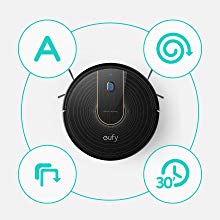
Automatic Cleaning
Multiple cleaning modes and a pre-set vacuuming time ensure an effortless, thorough clean while you do other things or nothing at all.

Endurance Cleaning
RoboVac cleans up to 100 mins* per charge, so you get to enjoy a completely clean home from a single charge.

Large Dustbox
A large 0.6L dustbox holds more dirt per clean to reduce the frequency of emptying.
Product Comparison
2nd Gen
0.6L
55dB
2.85 in
0.63 in
13.2 ft
1-year
-
-
2nd Gen
0.6L
55dB
2.85 in
0.63 in
-
1-year
-
-
2nd Gen
0.6L
55dB
2.85 in
0.63 in
13.2 ft
1-year
✓
✓
2nd Gen
0.6L
55dB
2.85 in
0.63 in
1-year
✓
✓
2nd Gen
0.6L
55dB
2.85 in
0.63 in
13.2 ft
1-year
-
-
2nd Gen
0.6L
55dB
2.85 in
0.63 in
-
2-year
-
-
FAQ
What voltage is RoboVac rated for? Does RoboVac come with a charger that is compatible with my region?
RoboVac works with voltages from 100 - 240V; a charger for the region is included. If you want to use your RoboVac in other countries, you will need to use a plug adapter.
Which Wi-Fi networks does RoboVac support?
Supported Wi-Fi networks:
- IEEE 802.11b (Not recommended)
- IEEE 802.11g
- IEEE 802.11n (Support only for 2.4GHz)
RoboVac does not support 5GHz networks.
What should I do if I can't find my Wi-Fi network?
- Make sure you are within range of your Wi-Fi router.
- Make sure your Wi-Fi router is switched on.
- Make sure your smartphone is connected to your Wi-Fi router.
- If the SSID of your network is hidden, manually search for the hidden network you want to connect RoboVac to.
If these suggestions don't help, please contact us at support@eufylife.com for more assistance.
What should I do if I can't connect RoboVac to my Wi-Fi network?
1. Make sure the Wi-Fi network name or the password you entered is correct. If it is incorrect, please try again.
2. Check whether there are any Internet connection problems. If the Wi-Fi signal is too weak, reset your Wi-Fi router and try again.
3. If there are too many devices connected to your wireless router at once, disconnect a few devices and try again.
4. Check to see if the side switch on RoboVac is turned on (in the "I" position) and make sure your RoboVac operates normally.
5. If the issue persists, long-press the Auto cleaning on/off button for 10 seconds to reset RoboVac. After you hear one beep and see the Wi-Fi status light start to flash, follow the instructions in the eufy Clean app to set up the Wi-Fi connection.
If these suggestions don't help, please contact us at support@eufylife.com for more assistance.
What should I do if RoboVac is offline?
1. Make sure RoboVac's side switch is turned on (in the "I" position) and make sure your RoboVac is working correctly.
2. Please enter the eufy Clean app and wait for 5 seconds to see if RoboVac is back online.
3. Make sure your Wi-Fi router and phone work properly.
4. If the issue persists, long-press the Auto cleaning on/off button for 10 seconds to reset RoboVac. After hearing one beep and seeing the Wi-Fi status light start to flash, follow the instructions in the eufy Clean app to set up the Wi-Fi connection.
If these suggestions don't help, please contact us at support@eufylife.com for more assistance.
Where is it best to use RoboVac?
1. Use only indoors and on dry surfaces.
2. For optimum performance, it is not recommended to use RoboVac on thick or plush carpets (thickness over 1.02 in/26 mm).
3. Do not use on very dark-colored floors.
4. Do not leave trailing cables as RoboVac may become entangled in them.
5. Do not use it on the carpets that have tassels, as the tassels may entangle RoboVac.
What objects should RoboVac avoid vacuuming?
1. Liquids.
2. Chemicals, inflammable and explosive hazardous materials.
3. Sharp objects such as broken glass, construction waste, screws, etc.
4. Burning objects such as cigarette butts, matches, and ash.
5. Pet excrement.
What is the lowest height RoboVac can pass under?
The lowest height RoboVac can pass under is 2.87 in/ 73 mm.
How does RoboVac navigate?
RoboVac uses Bounce technology to navigate when cleaning. RoboVac changes directions when it encounters obstacles and works in a back-and-forth traveling motion. Different cleaning modes has different paths.
What's the BoostIQ™ feature?
The BoostIQ™ feature automatically increases the suction power if it detects stronger power is needed to ensure the best clean, which is ideal for cleaning thicker carpets and hard-to-clean messes.
How do I identify if RoboVac is using the BoostIQ™ feature?
RoboVac 15C is in the BoostIQ™ mode by default, which you can see check in eufy Clean app.
To change the default suction power to Standard or Max mode, just press the "fan" icon in the remote control or eufy Clean app repeatedly to adjust the suction power level. The power level's corresponding icon is displayed in the eufy Clean app. You will also hear different beeps when you change the power level:
1 beep: Standard
2 beeps: BoostIQ
3 beeps: Max
Note:
When RoboVac starts cleaning in Auto or Quick Clean mode the next time, it will clean according to the suction power level you previously selected.
How long will RoboVac clean after it is fully charged?
A fully-charged RoboVac will clean for approximately 100 minutes in Auto Cleaning Mode on hard floors.
How long does it take RoboVac to charge from 0-100%?
About 5-6 hours.
Can I use one remote control to control more than two RoboVacs at the same time?
It is not recommended.
What do RoboVac's status lights mean?
POWER STATUS:
Breathing orange: Charging
Solid blue: Standby / Cleaning / Fully charged
Solid orange: Low power and returning to charging base
Flashing / Solid red + Beeping: RoboVac has an error
Off:
- RoboVac is powered off.
- To conserve power, the light automatically turns off when RoboVac is not docked to the Charging Base and has been inactive for 1 minute.
WI-FI STATUS:
Slowly flashing blue: Waiting for connection
Rapidly flashing blue: Connecting with your wireless router
Solid blue: Connected to your wireless router
What does the status light on the charging base indicate?
When the Charging Base connects to AC power, the LED indicator on the Charging Base is SOLID WHITE.
What do the error tones mean when the red indicator light is flashing?
One beep = RoboVac is stuck and one of the wheels is not making contact with the floor (hanging in mid-air). RoboVac may be in an extremely large room and the bumper is not registering obstacles. Restart cleaning in a new location.
Two beeps = RoboVac’s bumper is stuck. Tap RoboVac’s bumper several times to dislodge any debris that may be trapped underneath.
Three beeps = RoboVac’s drop sensors are dirty or RoboVac is stuck on the ledge of a staircase and cannot reverse. Clean the drop sensors gently with a dry cloth. Place RoboVac in a new location. Use a physical barrier to block off the problem area.
Four beeps = RoboVac’s power level is too low. Manually charge RoboVac for at least 5 hours.
What do the error tones mean when the red indicator light is solid?
One beep = RoboVac’s left/right wheel is stuck. Turn off RoboVac and remove any hair or debris from the left/right wheel.
Two beeps = RoboVac’s side brush is stuck. Turn off RoboVac and remove any hair or debris from the side brush.
Three beeps = RoboVac’s suction fan is stuck. Turn off RoboVac, then remove and empty the dust collector. Make sure the suction inlet is not blocked by any hair or debris.
Four beeps = RoboVac’s rolling brush is stuck. Turn off RoboVac and remove any hair or debris from the rolling brush.
My RoboVac cannot be activated. What can I do?
- Make sure the main power switch on the bottom of RoboVac is in the "I" position.
- Make sure the battery is fully charged.
- Replace the batteries in the remote control (2 AAA).
- Make sure the remote control is within range (10 ft/3 m) of RoboVac.
- If you still have trouble, turn off the main power switch and then turn it back on.
If these suggestions don't help, please contact us at support@eufylife.com for more assistance.
What if RoboVac suddenly stops working?
- Check if RoboVac is trapped or stuck on an obstacle.
- Check if the battery level is too low.
- If you still have trouble, turn off the main power switch, wait for 2 seconds, and then turn it back on.
If these suggestions don't help, please contact us at support@eufylife.com for more assistance.
What if RoboVac cannot return to the Charging Base?
- Place the Charging Base on a hard, level surface and againest a wall. Remove objects within 3 ft/1 m to the left and right side and within 6 ft/2 m of the front of the Charging Base.
- When RoboVac is in the vicinity of the Charging Base, it will return more quickly. However, if the Charging Base is located far away, RoboVac will need more time to return. Please be patient as it works its way back.
- RoboVac may be stuck somewhere. Please refer to the Quick Start Guide or User Manual for important tips before use.
- Clean the charging contact pins.
If these suggestions don't help, please contact us at support@eufylife.com for more assistance.
What if RoboVac can't be charged? What should I do?
- Check if the indicator on the Charging Base lights up. If not, contact the eufy service center to repair or replace the Charging Base.
- Dust off the charging contact pins with a dry cloth.
- Check if you can hear a beep when RoboVac is docked onto the Charging Base. If not, contact the eufy service center to repair or replace the Charging Base.
If these suggestions don't help, please contact us at support@eufylife.com for more assistance.
What should I do if RoboVac does not clean according to the schedule I set?
- Make sure the main power switch on the bottom of RoboVac is in the "I' position.
- Make sure the scheduled time has been set correctly and the schedule has been enabled in the app.
- Check if RoboVac’s power is too low to start cleaning.
If these suggestions don't help, please contact us at support@eufylife.com for more assistance.
What should I do if the remote control doesn't work?
- Replace the batteries in the remote control.
- Make sure the main power switch on the bottom of RoboVac is in the "I" position.
- Make sure RoboVac is fully charged.
If these suggestions don't help, please contact us at support@eufylife.com for more assistance.
Why has RoboVac's suction become weak?
- Check if any obstructions are blocking the suction inlet.
- Empty the dust collector and clean the filters with a vacuum cleaner or a cleaning brush.
- Replace the filter/brush to see if suction becomes stronger.
- Check if the filters are wet due to water or other liquids on the floor. Air-dry the filters completely before use.
If these suggestions don't help, please contact us at support@eufylife.com for more help.
Why is RoboVac making a strange noise while in use?
1. Clean brushes and tap the wheels to see whether they are stuck, and if necessary, remove any hair and debris from them.
2. Remove the rolling brush and brush guard and run RoboVac to see if the noise continues.
If the noise does not disappear when you remove accessories, please contact us at support@eufylife.com for more assistance.
What should I do if RoboVac's movements or travel path are abnormal?
- Clean the sensors on the bumper and on the bottom carefully with a dry cloth.
- Shake/tap the bumper and wheels to see whether they are stuck, and if necessary, remove any hair and debris from them.
- Restart RoboVac by turning the power switch off and on.
If these suggestions don't help, please contact us at support@eufylife.com for more assistance.