eufy Robot Vacuum Omni S2 + PoE NVR Security System S4 Max

Pre-Order: Shipping is scheduled to start on Jan. 20th.
eufy Robot Vacuum Omni S2
- 30,000 Pa AeroTurbo™ 2.0 Long-Lasting Suction:AeroTurbo 2.0 delivers 30,000 Pa suction and 365‑day filter cleanliness, lifting dirt from carpets and floors with consistent, powerful performance.
- Intelligent Carpet Cleaning:S2 auto‑adjusts suction and height for carpets up to 2 in, lifts the mop to stay dry, and avoids tassels for seamless cleaning.
- HydroJet™ 2.0 Self-Cleaning Roller Mop:Combines 15N pressure, 240 RPM speed, and electrolyzed water to scrub away stains. The mop self‑cleans in real time for lasting freshness.
- CleanMind AI:3D MatrixEye 2.0 detects 200+ obstacles, customizes cleaning by room, crosses 1.65 in thresholds, and avoids 0.4 in objects.
- Corner-to-Edge Deep Cleaning:CornerRover brushes sweep 100% of corners and edges while the mop stays 5 mm from walls to ensure efficient cleaning.
- 12‑in‑1 Hands-Free UniClean™ Station:Automatically washes, dries, disinfects, adds detergent, and stores dust for 68 days—delivering a fully hands‑free clean.
- Designed for Zero Hair Tangles:DuoSpiral and anti‑tangle brushes prevent hair clogs, ensuring smooth, strong suction every time.
- Effortless Cleaning, Elegance in Every Detail:A built‑in diffuser freshens rooms for up to 120 hours. Customize multi‑floor maps and zones via the eufy app.
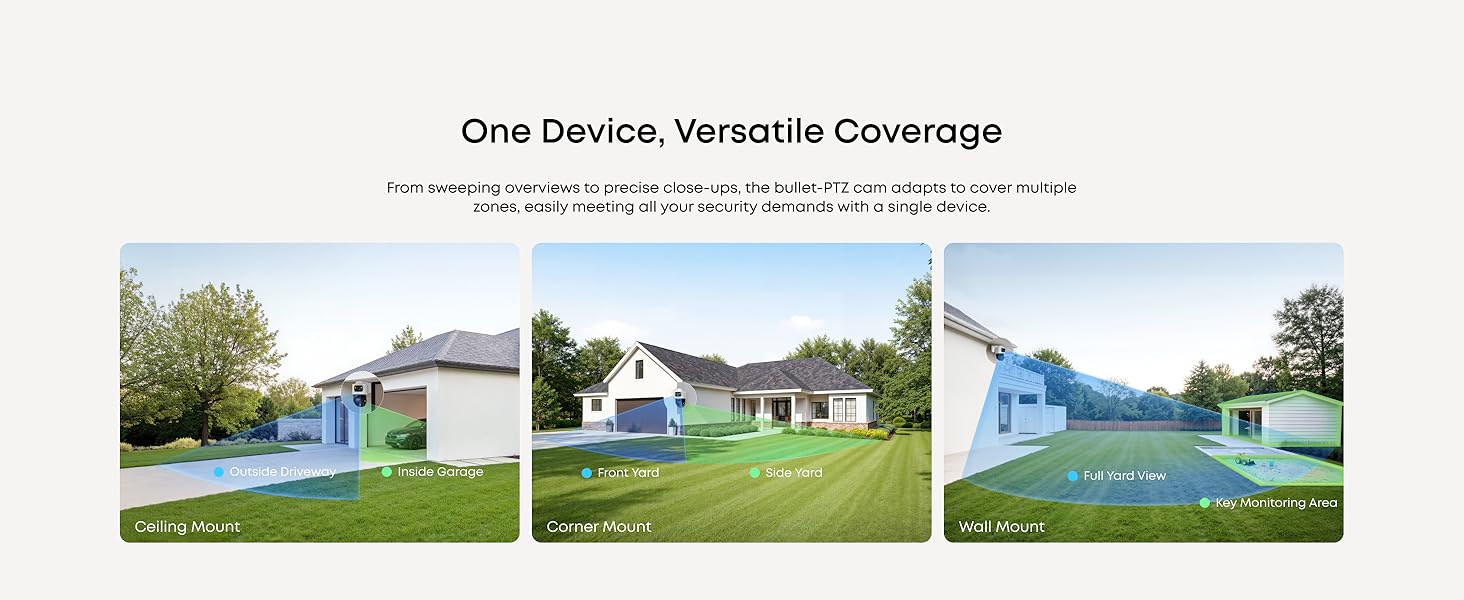
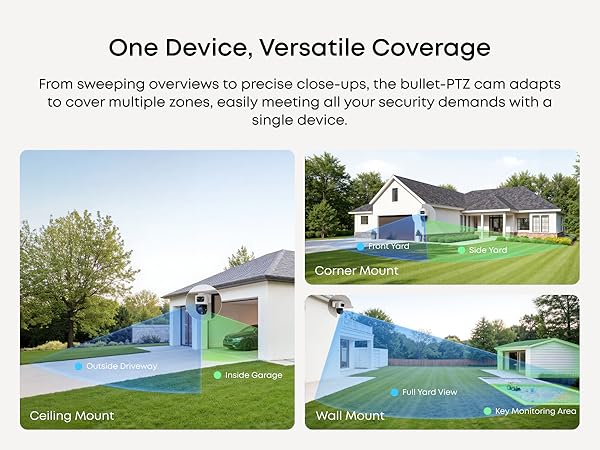
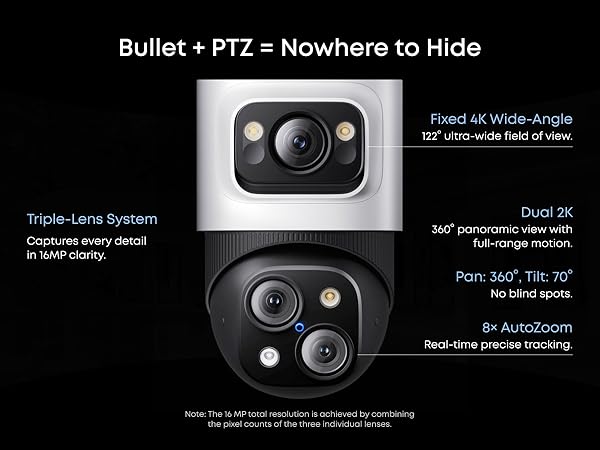
- 4K Triple-Lens Bullet-PTZ Camera: The upper 4K wide-angle camera provides a 122° fixed view of the entire scene, while the lower 2K PTZ camera delivers 8× auto-zoom and seamless 360° coverage for comprehensive monitoring.
- Auto-Framing and Group Tracking: When the bullet camera detects a subject, the PTZ locks on and auto-tracks them in sharp, centered close-ups from up to 164 ft away. Auto-zoom keeps moving subjects framed until they exit view.
- Live Cross-Cam Tracking: All cameras work in sync to track movement in real-time. When one camera reaches its limit, another takes over instantly, ensuring continuous, uninterrupted coverage—all under your control.
- Local AI Agent: Unlock proactive, real-time security with our local AI agent, fueled by 6T/8-Core power for instant analysis, genuine threat identification, and decisive action. Customize no-go zones and alerts, enabling AI to accurately detect real danger and ensure tailored responses.
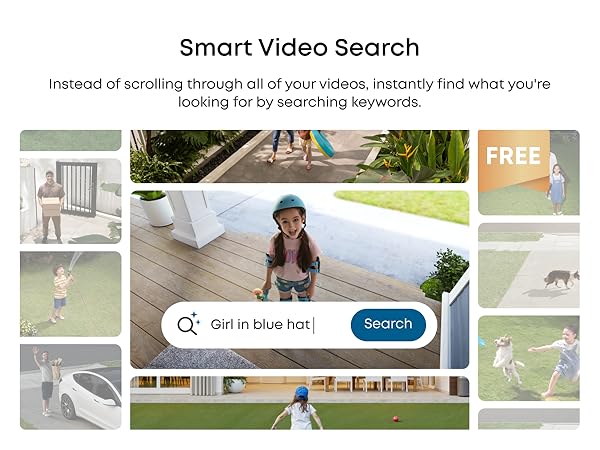
- Smart Video Search with no subscription fee: Instead of scrolling through all of your videos, instantly find what you're looking for by searching keywords.
- IP65 and Two-Way Talk: Withstands any weather with robust IP65 waterproofing for reliable monitoring. AI noise reduction filters our background noise for crystal-clear, distraction-free two-way communication.
- Expandable Security, Effortless Setup: 8‑Port NVR that can be expanded to 16 channels via a PoE switch (Not included). Supports up to 8 Bullet‑PTZ Cams (uses 2 channels each) or up to 16 Bullet/Turret Cams. Includes a pre‑installed 2 TB HDD (Upgradeable to 16 TB) for 24/7 recording.
- 3-Year After Sales Support: Rest easy knowing your product is covered by our 3-year after-sales service. Our expert support team is on standby 24/7, ready to resolve any concerns swiftly and keep you up and running.


 Omni S2 + PoE NVR Security System S4 Max$2,899.98


- Fast, Free Shipping
- 30-Day Money-Back Guarantee
- Hassle-Free Warranty
- Lifetime Customer Support
Quick Intro
Learn More







FAQ
How can I maintain S2's cleaning and mopping performance?
Before Cleaning: Remove items such as cables, socks, or toys to prevent reduced efficiency caused by repeated obstacle avoidance.
Vacuum First: Start with Vacuum-Only mode to clear dust and hair.
Water Level: Increase the mopping water volume in the app for enhanced cleaning performance.
Suction and Auto Dust Collection: For homes with pets or children, use High cleaning intensity, Turbo or Max suction mode, and set automatic dust collection to "Standard" at 15 - 30 min intervals.
Stain Cleaning: For stubborn stains, select Zoned Cleaning with Turbo suction and high water output. Enable the Auto Stain Cleaning feature for deeper cleaning when the robot detects stains (switching to Mop mode when necessary).
Accessories Maintenance: Clean the dirty water tank, dustbin, roller, main brush, and side brushes weekly or biweekly. Replace accessories based on app reminders when they reach the end of their lifespan.
System Updates:Keep your app and firmware up to date for the latest features and optimal performance.
How do I ensure optimal obstacle‑avoidance performance?
Enable AI.See: Turning on this feature activates AI-powered object recognition for more precise avoidance, and it gets smarter over time.
- Clear the Floor: Remove small items (cables, socks, toys, etc.) that may affect cleaning efficiency.
- Set Up No-Go Zones: Avoid using in areas such as dark stairs, black walls, thin chair legs, glass surfaces, reflective areas, low furniture (< 10 cm), or thick carpets (> 5 cm).
- Sensor Maintenance: Regularly wipe sensors (front camera, side laser, floor sensors) with a clean microfiber cloth to prevent dirt obstruction.
- Fix Carpet Edges: Flatten or secure soft rug edges to prevent entanglement, and avoid tasseled rugs.
- Avoid Dark or Reflective Materials: Remove black or highly reflective objects near doors, and cover transparent glass doors.
- System Updates: Keep your app and firmware up to date to ensure optimal performance and features.
How can I improve S2's carpet‑cleaning performance?
Carpet Modes:
For short or medium‑pile carpets, use Vacuum-Only mode—S2 will lift the mop automatically to avoid getting the carpet wet.
For tasseled or thick carpets (> 5 cm), use Carpet Avoidance mode—S2 will automatically skip those areas.
*Note:Dark carpets may not be detected accurately; set no-go zones if necessary. On thick/long‑pile carpets, side brushes stop rotating to prevent tangling.
BoostIQ: Enable BoostIQ in the app to automatically increase suction when cleaning carpets.
System Updates: Keep your app and firmware up to date to ensure optimal performance and features.
How can I ensure S2 cleans my entire home in one go?
Remove Small Obstacles: Clear cables and small items from the floor to prevent tangling.
Set No-Go Zones: In the app, mark thick (> 5 cm) or thin carpets as no-go zones to prevent the robot from getting stuck.
Flatten Rug Edges: Secure curled carpet edges to ensure smooth movement.
Auto‑Resume Cleaning: Enable Auto Return and Resume in the app for large homes—S2 will recharge and continue cleaning automatically.
System Updates: Keep your app and firmware up to date to ensure optimal performance and features.
How can I quickly create a complete 3D map with S2?
Before Mapping: Remove small items (cables, socks, toys, etc.) and open all doors to target rooms.
New Map Setup: Make sure 3D Map is enabled in the app, along with furniture and room naming features.
Map Editing: Mapping accuracy depends on the environment and improves over time. You can manually edit maps, merge or split rooms, and add furniture or carpets by tapping "Edit Map."
Note: Due to the variety of furniture types, some special pieces may not yet be supported. More will be added in future versions.
What is in the NVR's box?
1 x Network Video Recorder S4
4 x PoE Cam S4
4 x 59ft/18m Ethernet Cable, 1 x 3.3ft/1m Ethernet Cable, 1 x HDMI Cable
1 x Power Adapter, 1 x USB Mouse, 4 x Waterproof Cover Pack
4 x Mounting Bracket, 4 x Screw Pack, 1 x Quick Start Guide
How do I use the NVR?
GUI (Display): Connect the HDMI to the display, you can control it via the display.
App: Download the latest version of the eufy app from the App Store or Google Play.
Web Portal: Please log in to eufy.com, then click Support > NVR Web Portal.
How many real-time streams can the NVR support at most? How many channels of real-time flow does the Bullet-PTZ occupy?
The NVR supports up to 16 channels. The Bullet-PTZ camera occupies 2 real-time streams, and up to 8 Bullet-PTZ cameras can be connected.
How much storage space does the NVR have, and how many drive bays are there?
The NVR comes with a 3.5-inch drive bay. A 2 TB mechanical hard drive is included with the product, and you can upgrade this for up to 16 TB of storage.
Are eufyCam, SoloCam,eufy Video Doorbell, and eufy Sensor supported?
A: eufy Wi-Fi Module (T8709, schedule to launchlater)) is required forcompatibility with wireless cameras, doorbells, and sensors.
How do I update the NVR firmware?
Automatic Update: Ensure NVR is connected to the eufy app. Updates are automatic.
Manual Update: Ensure NVR is online. Go to Settings > Firmware Update > Check for Updates.
USB Update: Download the firmware file from service.eufy.com to update.