eufy Baby Monitor C10 (Add-on Camera)
- 2K HD Resolution, Every Moment in View: Experience clear 2K resolution, 351° panoramic view, 60° tilt, 4× zoom—plus split screen to watch two babies at once, day or night.
- Hybrid Monitoring, Always in Sight: Never miss a moment with hybrid connection, providing a stable local feed without Wi-Fi, and seamless remote access when you're away. Easily share viewing access with up to 5 family members, keeping everyone connected.
- 12-Hour Battery Power, All-Night Watch: With a 5,000mAh high-capacity battery, enjoy up to 12 hours of screen time on a single charge. Keep your little one under constant, dependable guardian even during sudden power outage. Note: Replacement battery is not included.
- Smart Detection and Alerts, Proactive Protection: An advanced sensing system continually monitors your baby's every kick and roll, cries, room temperature, and unusual noises. Customisable alert settings reduce distractions, ensuring the critical updates while ensuring quick responses when it matters most.
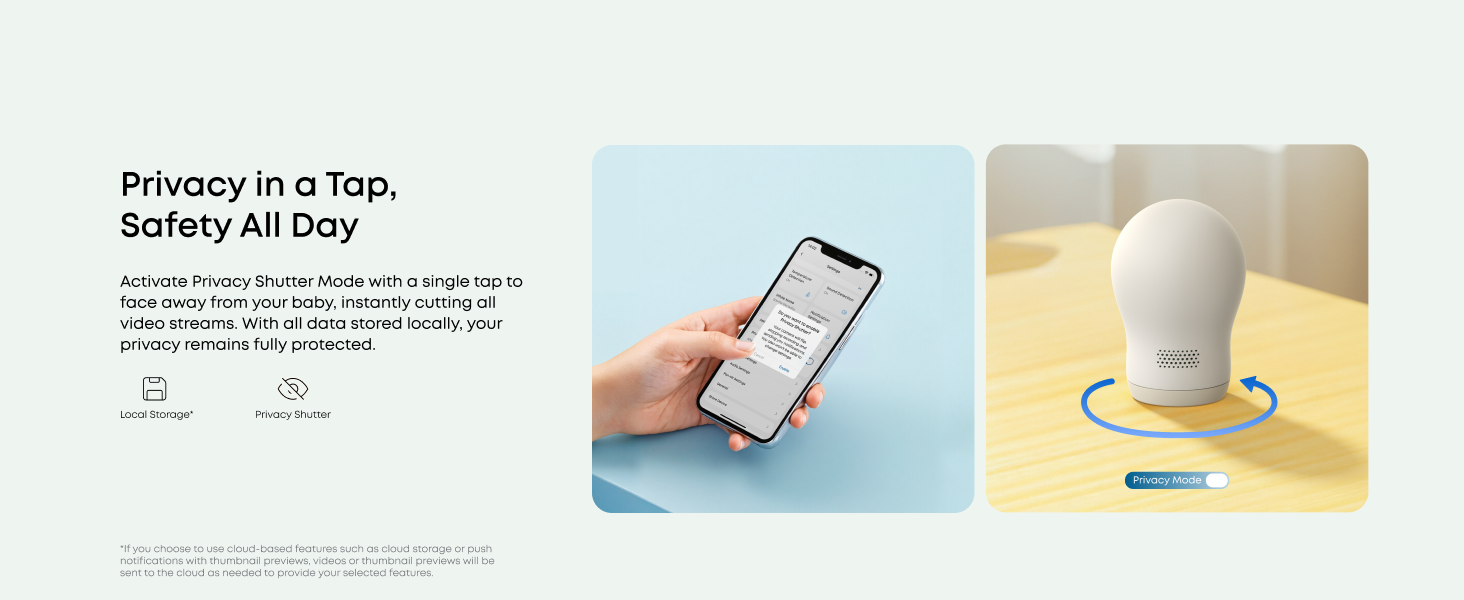
- Privacy Protection, Worry-Free Security: Secure and private monitoring with reliable local connection. One-tap Wi-Fi off in the app keeps hackers out. RSA-1024 and AES-128 encryption, with each recording uniquely stored locally. Note: SD card not included.


 eufy Baby Monitor C10 (Add-on Camera)€79.99


- 30-Day Money-Back Guarantee
- Hassle-free Warranty
- Lifetime Customer Support



 |  |  |  | |
| Customer Reviews | ||||
| Connection Mode | Hybrid Local&Wi-Fi Connection | Hybrid Local&Wi-Fi Connection | Hybrid Local&Wi-Fi Connection | Hybrid Local&Wi-Fi Connection |
| Camera Resolution | 2K, 351° Pan and 60° Tilt | 2K, 351° Pan and 60° Tilt | 2K, 330° Pan and 60° Tilt | 4K, 330° Pan and 60° Tilt |
| Zoom In | 4× | 4× | 4×, Auto-Focus | 8×, Auto-Focus |
| Screen Size | 4.5-inch, 480p | 4.5-inch, 480p | 5-inch, 720p | 5-inch, 720p |
| Display Battery Life | 5,000mAh (12 Hour) Battery | 5,000mAh (12 Hour) Battery | 5,000mAh (12 Hour) Battery | 5,000mAh (12 Hour) Battery |
| Connection Distance | 800 ft(In an open environment) | 800 ft(In an open environment) | 800 ft(In an open environment) | 800 ft(In an open environment) |
| Detection and Alert | Motion/Crying/Temperature | Motion/Crying/Temperature | Motion/Crying/Temperature | Motion/Crying/Temperature |
| Video Record | 24/7 Recording | 24/7 Recording | 24/7 Recording | 24/7 Recording |
| Storage | Up to 128 GB Micro-SD Card* | Up to 128 GB Micro-SD Card* | Up to 128 GB Micro-SD Card* | Up to 128 GB Micro-SD Card* |
| Camera Built-in Battery | ✘ | ✘ | ✔ | ✔ |
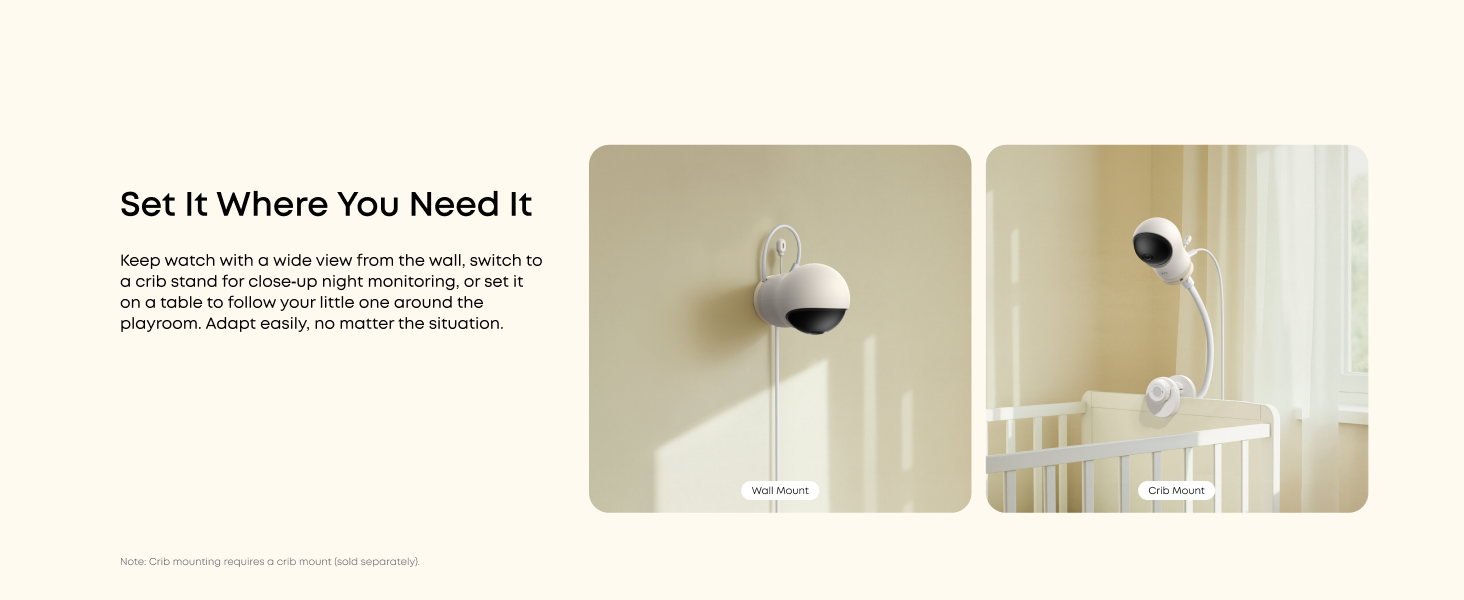
| Installation | Wall Mount | Wall Mount | Wall Mount and Crib Mount | Wall Mount and Crib Mount |
| Charging Base | ✘ | ✘ | ✘ | ✔ |
FAQ
Does the camera have a built-in battery, an SD card, or Alexa support?
No. The camera has no built-in battery and no SD card included. It requires the provided USB-C cable for power. Also, it is not compatible with Amazon Alexa.
What is the function of the Wi-Fi Switch on the monitor?
It helps safeguard your privacy and security. When enabled, the camera connects to your router for live view in the app. When disabled, it connects only to the monitor. It's recommended to turn Wi-Fi on periodically to keep the firmware up to date.
What types of detection functions does the camera support?
The camera features motion, crying, loud sounds, and temperature detection. The sensitivity of motion, cry, and sound detection can be adjusted to accommodate different environments. You may set notification intervals to minimize interruptions.
How do you perform OTA updates on the monitor and camera?
Ensure both devices are connected to the eufy app.
For the camera: Open the eufy app > Settings > General > About Device > Firmware Update.
For the monitor: On the screen, go to Monitor Settings > About Device > Firmware Update.
What is Privacy Shutter mode?
It temporarily disables the camera's audio and video for your privacy. When enabled, the camera automatically rotates to face the back and stops recording and streaming. To disable Privacy Mode, open the eufy app > Monitor Settings > Privacy Shutter.