
Security cameras let Australian households check whether pets are resting, eating, barking, or getting into trouble while no one is home. Useful pet monitoring needs clear room coverage, stable Wi-Fi, sensible alerts and safe camera placement. Privacy also matters because the camera may record family members, visitors, or pet sitters. This guide covers camera choice, placement, app settings, and storage for apartments, units, townhouses, and detached homes across Australia and New Zealand.
What Do You Actually Need to Check
Think about the moments that concern you most. A camera used to check a sleeping cat needs fewer features than one following an active dog around an open-plan living area.
| What you want to see | Camera feature worth checking |
|---|---|
| Your pet eating, drinking or resting | Clear live view of the main pet area |
| The cause of barking or pacing | Recorded event history with accurate time stamps |
| Movement between different parts of a room | Pan-and-tilt viewing or motion tracking |
| A dog walker or pet sitter arriving | App alerts and remote live view |
| Two pets sharing the same space | Wide room coverage with few furniture blind spots |
| Activity after dark | Night vision suited to the room |
Choose one or two main uses. Recording every corner often creates more notifications without telling you anything useful.
Match Security Cameras to the Room
Room layout has a bigger effect on coverage than the overall size of the property.
| Australian home or pet area | Suitable camera setup | Check before installation |
|---|---|---|
| Open-plan apartment or unit | Pan-and-tilt indoor pet camera | Power access, Wi-Fi strength and furniture placement |
| Single-storey house | Camera in the main living or family room | Wi-Fi coverage at the rear of the house |
| Double-storey home | A camera on each floor used by the pet | Stairwell blind spots and notification settings |
| Townhouse courtyard | Indoor camera plus an outdoor-rated camera if needed | Weather exposure and body corporate rules |
| Enclosed backyard or kennel | Weather-resistant outdoor camera | Shade, mounting height and network coverage |
| Pet bed, crate or feeding area | Fixed indoor camera | Cable safety, glare and night visibility |
A wireless pet camera usually sends video through Wi-Fi, but many indoor models still need a power cable. Check the position of nearby power points before settling on a camera location.
https://d2fn1ti8mb8fwr.cloudfront.net/spree/ckeditor_assets/pictures/1222/original_t8410_v1_06.jpg?alt=eufy+baby+monitoring+with+crying+alert+on+phone
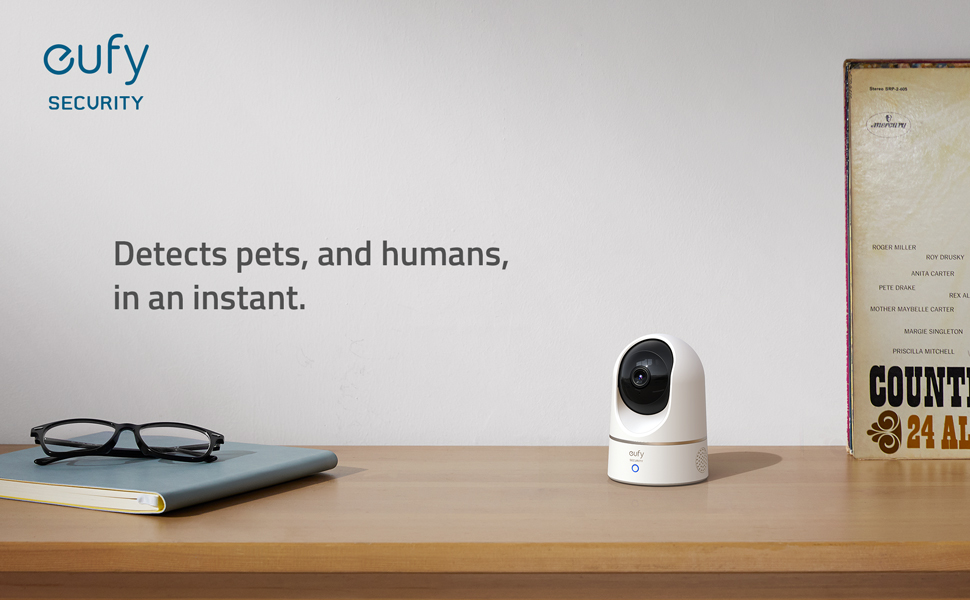
An active dog or cat may move from the sofa to the water bowl and then into the hallway within a few minutes. A fixed lens can lose sight of the animal once it leaves a narrow viewing angle. The eufy Indoor Cam E220 uses a 360° coverage, pet detection, and automatic tracking to keep more of an open-plan room in frame as a pet moves around.
Place the Camera Where Your Pet Actually Goes
A camera can cover a large room and still miss the places your pet uses most. View the room from the animal’s height rather than from your own eye level.
-
Map the daily route
Note where your pet sleeps, drinks, waits near the door, and moves between rooms. Place these areas within the camera view. -
Use a stable position
Put the camera on a secure shelf or suitable mount. Keep the device and power cable out of reach of pets that chew, climb, or knock objects over. -
Aim across the room
A diagonal angle usually captures more floor space than a lens facing a nearby wall. Sofas, dining tables, and low cabinets can hide smaller animals. -
Keep bright windows out of the centre of the frame
Strong Australian sunlight can leave the room looking dark on camera. Glass, mirrors, and glossy screens may also reflect infrared light at night. -
Use an outdoor-rated model for exposed areas
An indoor camera placed behind a ground-floor window may show glare during the day and reflections after dark. Backyards, side gates, garages, and outdoor runs need a model suited to local weather conditions.
Open the live view after placing the camera. Walk through the room at your pet’s usual pace and check where the animal disappears from view.
Set Alerts and Audio Around Your Routine
Too many notifications quickly become background noise. Alerts should point to activity you may need to check.
Focus Alerts on Useful Areas
Activity zones can limit monitoring to a dog bed, hallway, water bowl, or back door. Leave television screens, moving curtains, and busy windows outside the zone where possible.
Begin with moderate motion sensitivity. Review the first day of alerts and adjust the setting if genuine pet movement is being missed.
Use Pet Detection With Realistic Expectations
Pet detection can reduce alerts caused by people, shadows, or changes in light. Detection accuracy can still vary with distance, camera angle, lighting, and the size of the animal.
Open the recorded clip before treating an alert as unusual. A notification may show a pet walking past the camera rather than a problem.
Alerts often matter most:
- Shortly after everyone leaves home
- Near the expected arrival time of a pet sitter
- During thunderstorms
- Around regular parcel deliveries
- On hot afternoons, when pets move to cooler rooms
- Near the time, a dog usually becomes restless
Test the Speaker While You Are Home
A pet camera with speaker support lets you use a familiar cue from the app. Some dogs settle after hearing a calm voice. Others become excited or search the room for their owner.

Try the feature while you are nearby. Use a short phrase your pet already knows. Stop using the speaker if it leads to more barking, pacing, or agitation.
Use Recorded Clips to Spot Behaviour Patterns
A live view shows what is happening now. Recorded clips show timing, repetition, and possible triggers.
| What appears in the footage | A change worth considering |
|---|---|
| Barking begins when someone approaches the front verandah | Move the resting area away from the window or reduce the outside view |
| A cat regularly disappears behind furniture | Change the camera angle before adding another device |
| A dog becomes restless shortly before a visitor arrives | Review the visit schedule or departure routine |
| Two pets compete for one water bowl or bed | Place separate resources in different parts of the room |
| Activity increases during storms or nearby construction | Prepare a quieter room before the noise begins |
| A pet remains unsettled after a sitter arrives | Share the timing with the sitter and review the care routine |
Camera footage may show when a behaviour begins, but it cannot diagnose anxiety or illness. RSPCA Australia lists excessive barking, destructive behaviour, indoor toileting, digging, pacing, and escape attempts as possible signs of distress in dogs left alone. Ongoing or severe behaviour needs advice from a veterinarian or a suitably qualified animal behaviour professional.
Check Storage, Privacy, and Account Access
A pet surveillance camera may also record children, visitors, cleaners, tradespeople, or pet sitters. Camera direction, storage, and account access deserve the same attention as image quality.
Compare Footage Storage Options
| Storage method | Benefit | Detail to confirm |
|---|---|---|
| Local storage | Keeps recordings on compatible storage within the home | Required microSD card, HomeBase or other storage device |
| Cloud storage | Stores footage away from the physical camera | Subscription price, retention period and included features |
| Event recording | Saves clips only after detected activity | Detection settings and possible missed events |
| Continuous recording | Creates a fuller timeline | Storage capacity, mains power and model support |
Some eufy indoor cameras support local storage without a required monthly fee, which may suit households that prefer to keep recordings at home. Storage methods and recording modes differ by model, so check the product details before choosing. You can also compare options in the eufy AU indoor camera range based on room coverage and storage needs.
Local storage keeps more control within the home, although optional cloud features may still send selected data through online services when enabled.
Keep Recording Limited to Relevant Areas
- Keep cameras out of bedrooms, bathrooms and private changing spaces.
- Tell pet sitters, cleaners, and regular visitors that recording is active.
- Remove shared app access once a person no longer needs it.
- Use a unique password and install the camera app and firmware updates.
- Frame the view so neighbouring homes and shared entrances are not recorded unnecessarily.
- Check the tenancy agreement before drilling holes or attaching permanent mounts.
- Review strata or body corporate rules before installing equipment on common property.
The Australian Privacy Act generally does not apply to cameras used by individuals in a private capacity. State, territory, council, and strata rules may still affect where a camera can point or how footage may be used. The Office of the Australian Information Commissioner’s guidance on security cameras provides a useful overview.
Test the Setup Before Leaving Home
Run a full check from outside the home rather than relying on a quick test beside the camera.
- Switch your phone from home Wi-Fi to mobile data.
- Open the live view and check the connection.
- Walk through each area your pet normally uses.
- Check the image during the day and after dark.
- Confirm that pet movement produces the expected alert.
- Test the speaker and watch your pet’s reaction.
- Check that event clips appear in the chosen storage location.
- Secure cables, mounts, and power connections.
- Confirm that a trusted person can visit if the footage shows an urgent problem.
Test again after changing the router, moving furniture or shifting your pet’s bed to another part of the room.

Keep an Eye on Your Pets With the Right Camera Setup
Security cameras can give Australia and New Zealand households a clearer view of pets while the home is empty. Focus on the rooms your pet uses, place the camera beyond reach, limit unnecessary alerts, and check how recordings are stored. Remote viewing works best when someone can step in if the camera shows a genuine problem. Browse eufy AU indoor cameras for living areas or view the wider security camera range for backyards, garages and side access areas.
FAQs
Q1. Can I View My Pet Camera While Travelling Overseas?
Yes. Security cameras with remote app access can usually be viewed from overseas while the camera and home router remain connected to the internet. Mobile data charges and network restrictions may affect streaming.
Q2. Do Pet Cameras Use a Lot of Internet Data?
Live video uses more data than motion alerts or short event clips. Resolution, viewing time, and continuous cloud recording all affect usage. Households with limited NBN or mobile broadband data should check the camera’s streaming settings.
Q3. Can Two Family Members Use the Same Dog Monitor Camera?
Yes, if the app supports device sharing. Separate user access is safer than sharing one password. Remove access when a family member, sitter, or visitor no longer needs it.
Q4. Will Infrared Night Vision Disturb My Pet?
Usually not. Infrared lights used by indoor cameras are generally not visible to people, although some pets may notice a faint glow or small clicking sound when night mode switches on.
Q5. Can a Pet Camera Keep Recording Without Wi-Fi?
Yes, some models can continue saving footage to local storage during an internet outage. Remote viewing, app alerts, and cloud services will remain unavailable until the connection returns.
